The Budget’s minimum wage announcement gives lower-paid workers a welcome increase in their hourly earnings. For employers in manufacturing, food production, warehousing, logistics and construction, it also raises a difficult question: how much more labour cost can the business absorb?
From April 2027, the National Living Wage for workers aged 21 and over will rise from £12.71 to £13.21 an hour. The minimum rate for 18–20-year-olds will increase to £11.27, while the under-18 and apprentice rates will become £8.31. These are increases of 3.9%, announced on 28 October 2026.[1]
For businesses with hundreds of employees close to the statutory minimum, a 50p increase quickly becomes a six-figure commitment.
Some employers may respond by restricting recruitment, reducing overtime, reorganising shifts or considering a smaller permanent workforce supported by agency labour. That is a potential commercial response, rather than evidence that a widespread migration to agency staffing is already happening.
Whatever staffing model employers choose, they need to understand the cost of every hour—and what that hour delivers.

What does another 50p an hour really cost?
Take a business employing 200 people aged 21 or over, each paid for 40 hours a week over 52 weeks at the National Living Wage.
The increase in basic wages alone is:
200 employees × 40 hours × 52 weeks × £0.50 = £208,000 a year.
That calculation includes paid annual leave within the 52 paid weeks. It does not assume employees work all 52 weeks.
Basic wages are only part of the cost. Employer National Insurance and workplace pension contributions can increase alongside earnings.
The following illustration holds 2026/27 employer NI and pension assumptions constant to isolate the wage increase. It uses standard employer NI of 15% above £5,000 and a minimum employer pension contribution of 3% on qualifying earnings above £6,240.[2][3] It is a planning model, not a confirmed 2027/28 payroll forecast.
| Annual cost per employee | At £12.71/hour | At £13.21/hour | Increase |
|---|---|---|---|
| Basic wages: 2,080 paid hours | £26,436.80 | £27,476.80 | £1,040.00 |
| Employer National Insurance | £3,215.52 | £3,371.52 | £156.00 |
| Employer pension contribution | £605.90 | £637.10 | £31.20 |
| Modelled annual employment cost | £30,258.22 | £31,485.42 | £1,227.20 |
| Equivalent cost for 200 employees | £6,051,644.80 | £6,297,084.80 | £245,440.00 |
Totals use unrounded calculations. Assumes enrolled pension members, standard NI treatment and no employer NI relief. Figures precede any Employment Allowance and exclude overtime premiums, recruitment, training, absence cover, benefits, equipment and levy costs where applicable. Actual payroll calculations depend on pay periods and individual circumstances.
The pressure can extend beyond employees on the minimum wage. Employers may also face demands to preserve pay differences for experienced operators, supervisors and skilled staff. That potential knock-on effect is separate from the statutory increase.
The hourly wage is not the cost of an available working hour
Most workers are entitled to 5.6 weeks’ paid annual leave, equivalent to 28 days for someone working five days a week.[4]
In the example above, 40 hours over the remaining 46.4 weeks gives 1,856 hours available before sickness, training or other non-production time.
Dividing the modelled annual cost of £31,485.42 by those hours produces approximately £16.96 per available hour.
Holiday pay has already been included in annual wages; it must not be added again. The calculation simply spreads the employment cost across fewer available hours.
This distinction matters when comparing direct employment with an agency’s hourly charge. Comparing £13.21 in direct wages with an agency invoice rate does not give a like-for-like picture.
Will employers turn to agency labour?
Agency staffing can help employers match labour to demand, cover absence and handle seasonal peaks without committing to the same permanent headcount throughout the year.
For lower-paid workers, however, fewer permanent vacancies or less predictable assignments could offset some of the benefit of a higher hourly wage. That is a risk employers should consider, not an inevitable consequence of the Budget.
Nor does moving work to an agency remove the underlying employment costs. Agency workers remain entitled to the minimum wage. After the qualifying 12 weeks in the same role, equal-treatment rights cover basic working and employment conditions, including pay and annual leave. Changing agencies does not automatically restart that qualifying period.[5]
Agency charge rates must fund the applicable employment costs and the supplier’s margin. The potential saving is often in buying fewer hours during quieter periods—not necessarily paying less for each hour supplied.
Reducing permanent headcount also brings recruitment, retention, workforce relations and potential redundancy costs into the decision.
The question for management is therefore:
What combination of permanent and agency labour delivers the required output at the best total cost?
Ceequel brings the mixed workforce into one operational picture
A smaller payroll does not necessarily mean a smaller labour bill.
If agency expenditure sits in purchase invoices while permanent employee costs sit in payroll, management can lose sight of the combined cost of running a shift, completing a job or delivering a contract.
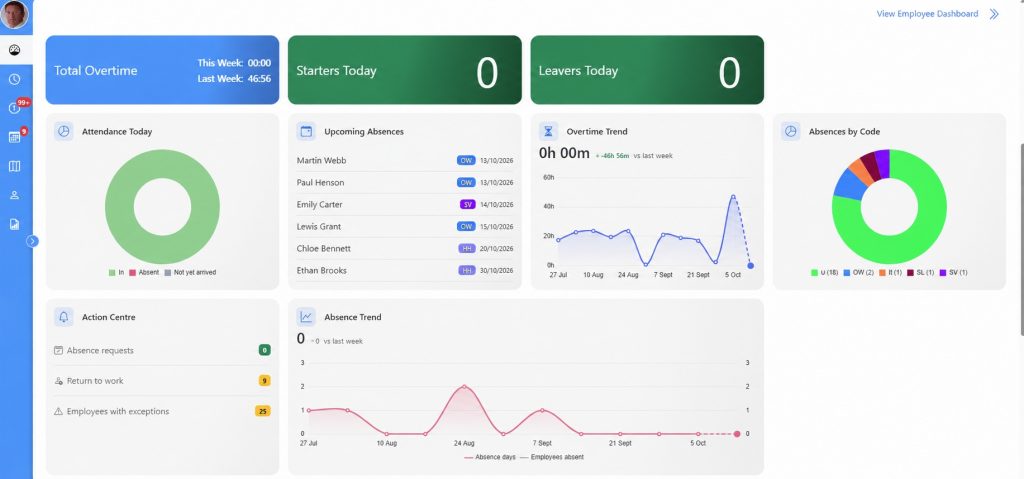
Ceequel’s Time & Attendance and Operational Intelligence capabilities connect workforce attendance with labour costing and operational activity. With the appropriate modules and configuration, direct employees and agency workers can be assessed within a consistent reporting structure.
The connection runs from the person who attended, through the applicable rules and rates, to the work and cost centre receiving the labour.
1. Establish who attended and which hours are payable
Agency timesheets should be supported by dependable attendance evidence.
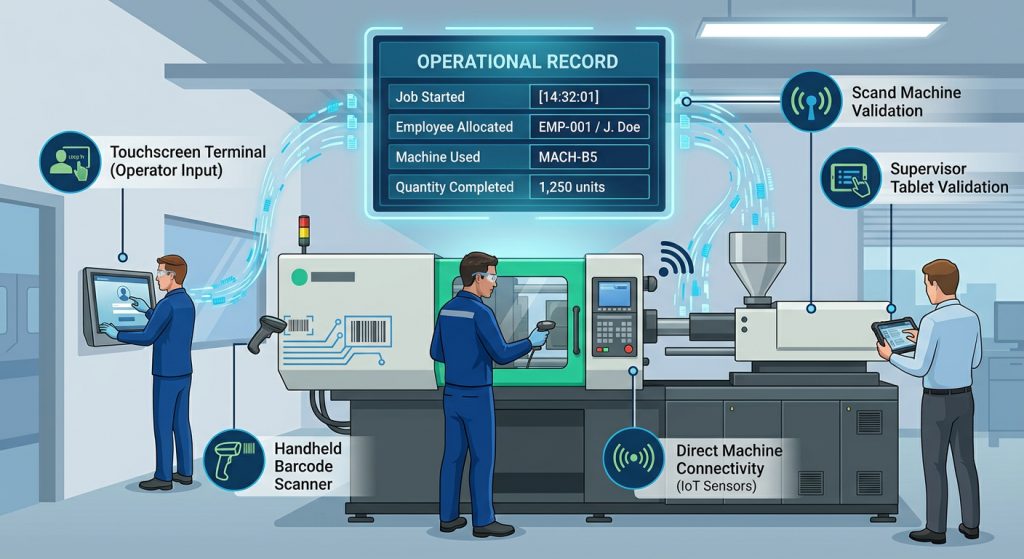
Ceequel records clockings through the appropriate workplace or mobile clocking arrangement. Configured rules can then distinguish recorded presence from payable time, accounting for breaks, shift arrangements, overtime and authorised adjustments.
This distinction is essential. Arriving early does not automatically create authorised overtime; equally, a missing clocking needs investigation rather than an assumption that no work took place.
Ceequel Hub provides managers with browser access to the relevant attendance administration, helping bring operational review closer to the people responsible for the workforce.
Clocking at client sites without joining the client’s network

Agency workforces often operate at premises whose IT infrastructure is controlled by the end client. Recording attendance should not depend on placing a clocking terminal on that client’s network.
Ceequel has clocking terminals available that can operate without joining the client’s network and communicate with the Ceequel server, whether it is installed on-premise at the agency’s or employer’s offices or provided through a hosted deployment.
This gives agencies and employers another practical way to capture attendance at client locations, subject to the appropriate connectivity and server-access arrangements. The same attendance information can then support the configured agency, hours and labour-cost reporting processes.
2. Preserve agency and rate history when workers move
A worker may remain on the same site while moving from one agency to another. Rates may also change between pay periods.
Ceequel’s pay-rate history function supports employees moving between agencies. When payroll is run with an agency filter, it identifies employees who belonged to that agency during the selected pay period.
That historical relationship matters. Using today’s agency allocation to analyse last month’s hours can attribute labour to the wrong supplier. Applying a current rate retrospectively can distort previous costs.
For invoice checking, worker pay rates and agency charge rates must also remain distinct: the amount paid to a worker is not necessarily the amount invoiced to the customer. The reporting design should use the appropriate agreed costing basis.
3. Give finance evidence to check agency invoices
Attendance and configured payable-hours reports can provide an evidence base for reconciling agency invoices.
Finance can compare the supplier’s claim against the relevant worker, dates, hours and agreed rate schedule, with managers resolving exceptions.
Consider an illustration involving 100 agency workers, an assumed £18 hourly charge, and a hypothetical 10-minute daily overstatement over 230 working days:
100 × 10 ÷ 60 × £18 × 230 = £69,000 a year.
This is an example of exposure, not an industry leakage estimate or a promised saving. It shows why small differences deserve attention when multiplied across a large workforce.
Ceequel supplies the underlying attendance and costing evidence; automated invoice matching depends on the agreed integration and configuration.
4. Attribute labour to the job, site and activity consuming it
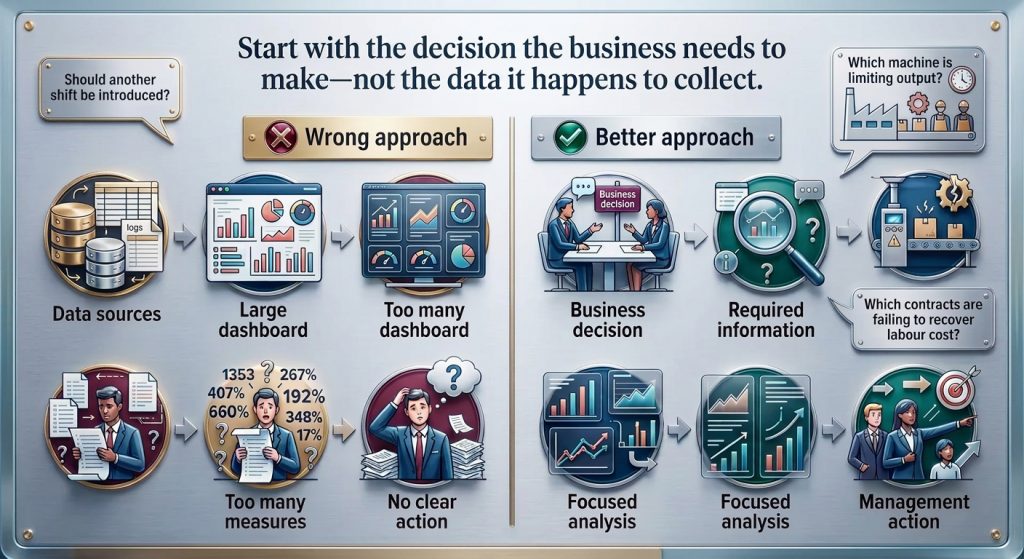
Knowing an agency’s total weekly invoice does not explain which contracts are profitable.
Ceequel Operational Intelligence connects workforce time with jobs, operations and cost centres. Configured reporting can identify time and labour cost by site, contract and employee type—for example, groundworkers, bricklayers, electricians and plumbers.
For mobile teams, iClock geofencing can associate clocking locations with a contract name or number, supporting reports on who attended each site, how long they were there and the associated labour cost.
This allows management to investigate whether an overspend came from additional hours, a different labour mix, higher rates or a particular activity.
5. Compare budget with actual expenditure

Labour information becomes more useful when it reaches the systems used to manage commercial performance.
Ceequel can be configured to generate financial journal reports and export labour-cost information to project or finance systems, subject to the receiving system and agreed interface.
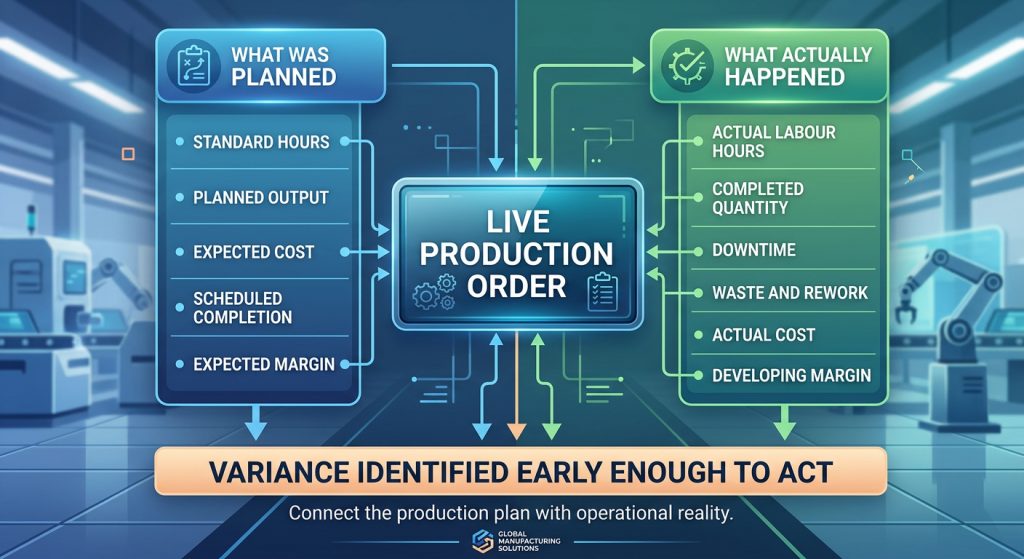
A contract budget can then be compared with actual labour expenditure, rather than relying on a delayed invoice total or a broad estimate.
For manufacturing, Operational Intelligence extends the analysis into job costing, labour recovery, downtime, scrap, rework and operational efficiency. Attendance establishes the hours supplied; operational data helps explain the output achieved.
6. Include agency workers in the wider site picture
Temporary workers also need to be considered in access permissions and emergency arrangements.
Where Ceequel Access Control and Fire Register are deployed and configured for those workers, their presence can form part of the wider site-management picture.
The data needed to cost a shift should connect sensibly with the information needed to manage the people attending it.
Measure the workforce before changing its shape
The minimum wage increase creates a clear planning challenge. In our 200-person example, the annual rise reaches £245,440 once modelled employer NI and pension contributions are included.
But permanent headcount alone is an incomplete measure of labour cost. Reducing it while increasing agency spend can move expenditure between accounts without improving margins.
Employers need to see the combined picture: direct and agency hours, historical supplier allocations, applicable rates, approved payable time, job costs and output.
Ceequel gives businesses the information to make those decisions with greater confidence—and to keep control as their workforce changes.
Speak to ELF Productivity about using Ceequel Time & Attendance and Operational Intelligence to manage direct and agency labour across your sites, shifts and contracts.