Responsible Workforce Technology: Better Information Without Losing Employee Trust

Workforce technology gives organisations unprecedented visibility over working time, attendance, access, absence and operational performance. Used correctly, it can improve payroll accuracy, reduce administration, control labour costs and help protect employees. Used without clear safeguards, however, the same technology can create legitimate concerns about privacy, fairness and excessive monitoring.

Responsible workforce technology is not about collecting as much employee information as possible. It is about using the right information, for a clearly defined business purpose, with appropriate security, transparency and human oversight.

This distinction is becoming increasingly important. The UK Government is currently considering how workplace-monitoring technologies should be managed, with a particular focus on clarity, transparency, employee voice and responsible implementation. This is a consultation rather than final legislation, but it gives employers a clear indication of the direction in which expectations are moving. Read the Government’s workplace-monitoring consultation.

Workforce technology should have a clear purpose

Every workforce system should begin with a legitimate operational requirement.

An employer may need to record attendance so employees are paid accurately, manage access to restricted areas, confirm who is present during an emergency, monitor working-time compliance or understand the labour used on a particular job or production process.

These are valid business purposes. Problems arise when information collected for one reason is subsequently used for an unrelated purpose without proper consideration, communication or justification.

Before introducing any workforce technology, an organisation should therefore be able to explain:

  • What information will be collected.
  • Why that information is required.
  • How it will be used.
  • Who will be able to access it.
  • How long it will be retained.
  • Whether it will contribute to any automated decisions.
  • What choices or alternatives are available to employees.

Transparency creates confidence

Employees should not have to guess how workplace technology affects them.

Clear communication helps employees understand that a time-and-attendance system is there to create accurate records, that access control protects people and premises, or that operational data is being used to improve production rather than simply scrutinise individuals.

Where appropriate, employers should consult employees and their representatives before new technology is introduced. This provides an opportunity to explain the business requirement, answer questions and identify legitimate concerns before implementation.

Transparency is particularly important where technology involves location data, biometrics or detailed operational information.

Biometric technology requires additional care

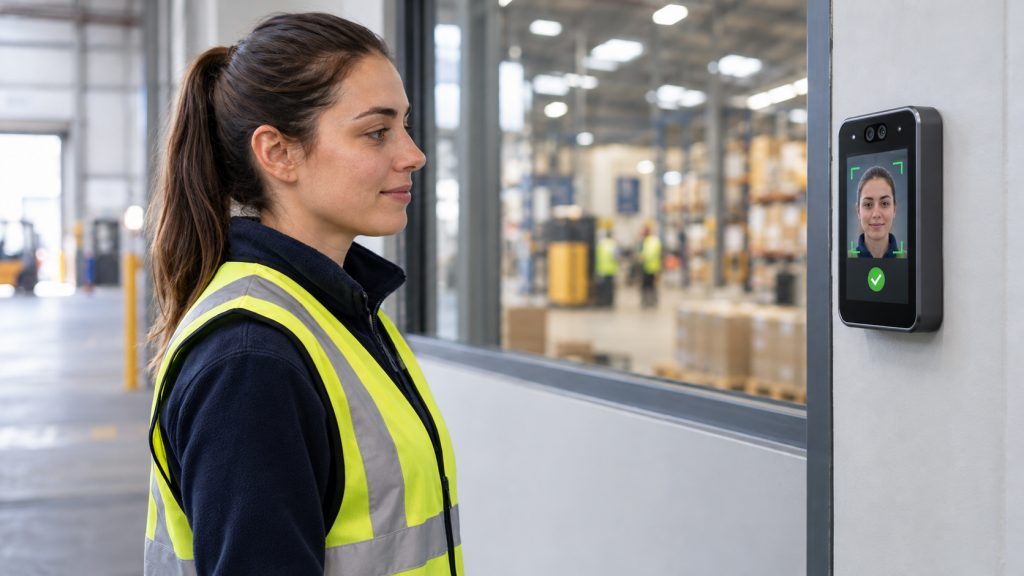
Facial recognition can provide fast, contact-free and highly accurate employee identification. It can reduce forgotten credentials, discourage “buddy clocking” and support secure access control.

However, biometric information used to identify a person is special-category personal data. The Information Commissioner’s Office states that organisations must complete a Data Protection Impact Assessment before processing biometric data to identify workers.

Employers must also establish an appropriate lawful basis, demonstrate that the proposed use is necessary and proportionate, and consider whether a less intrusive alternative could achieve the same objective.

Where consent is being relied upon, employees must have a genuine choice. The ICO gives the example of providing a swipe-card alternative without disadvantaging employees who do not wish to use biometrics. Read the ICO’s guidance on biometric time and access control.

This does not mean that facial recognition cannot be used responsibly. It means that the organisation introducing it must make a considered and properly documented decision.

Collect only what is needed

A responsible system should allow organisations to configure technology around their actual requirements rather than forcing them to collect unnecessary information.

For example, a mobile employee may need to confirm that they have arrived at an authorised work location. That does not automatically mean their movements need to be continuously tracked throughout the working day.

Similarly, operational technology may need to record which employee completed a job or production operation, but this should not become unrestricted personal surveillance.

The principle is straightforward: collect the information needed to achieve the defined purpose—and no more.

Important decisions should remain subject to human oversight

Workforce systems can identify exceptions, highlight patterns and provide managers with better information. They should not remove appropriate management judgement.

An attendance pattern may require investigation, but the system will not necessarily understand the personal or operational circumstances behind it. A productivity variance may identify a problem, but it may have been caused by machine downtime, material shortages, training requirements or an unrealistic production target.

Technology should support fair, consistent and informed decisions. Managers should remain able to review the underlying information, correct errors and consider the wider context before action is taken.

Security must be designed into the solution

Workforce information must be protected throughout its lifecycle.

This includes appropriate access controls, encryption, secure communications, clearly defined administrative permissions, retention policies, audit trails and reliable deletion processes. Remote access should also be controlled, authorised and restricted to the systems and time periods genuinely required.

The organisation using the system remains the data controller and is responsible for determining why and how employee information is processed. The technology provider should support that responsibility through secure design, clear documentation and configurable controls.

The Ceequel® approach

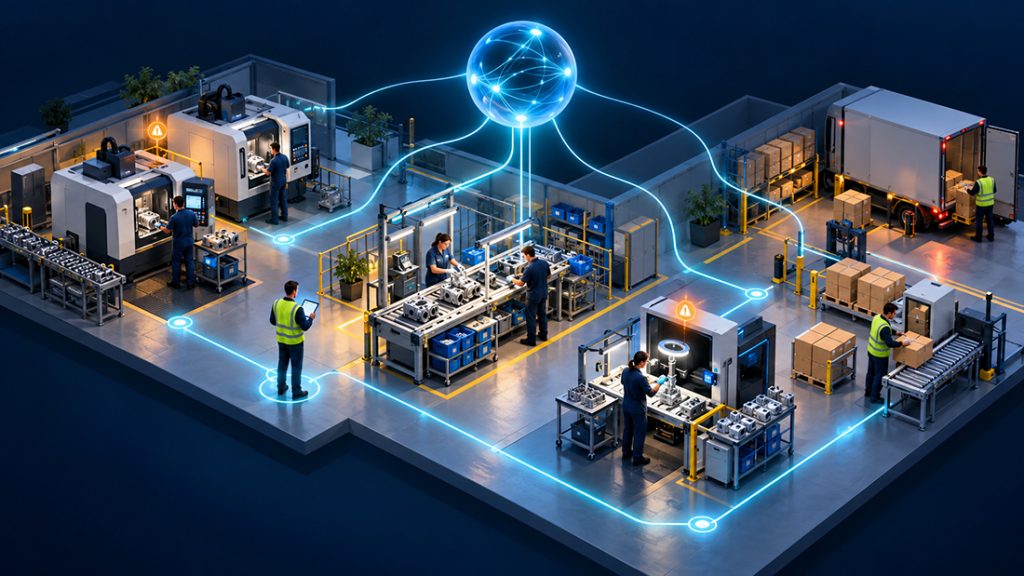
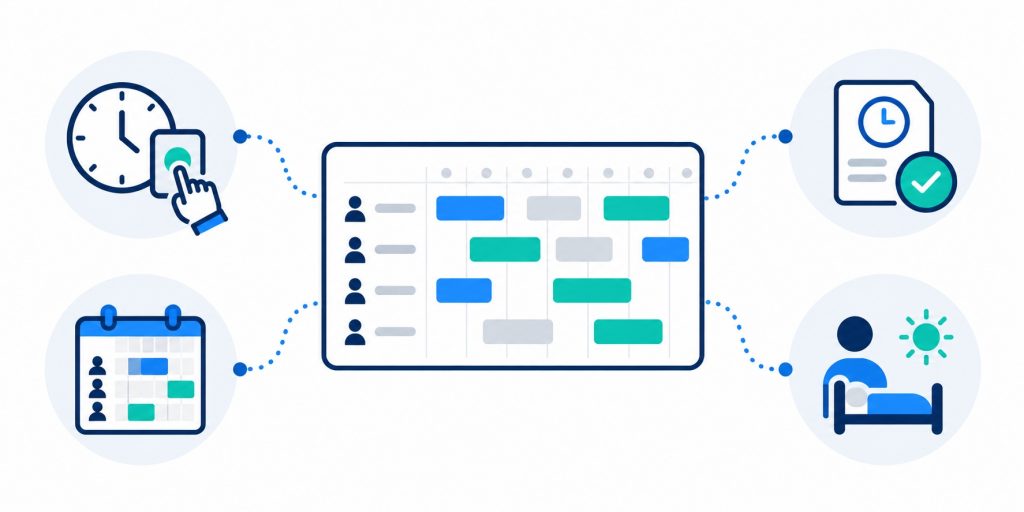
Ceequel® brings together Time & Attendance, HR, Employee Self Service, Access Control, Visitor Management, mobile clocking and Operational Intelligence within one configurable software suite.

This allows organisations to establish consistent controls across workforce processes while maintaining clear distinctions between different types of information and their intended purposes.

Depending on the organisation’s requirements, Ceequel can support:

  • Facial recognition or non-biometric proximity credentials.
  • Defined user roles and administrative permissions.
  • Accurate time, attendance, absence and working-hours records.
  • GPS and geofenced mobile clocking for authorised locations.
  • Controlled access to buildings and restricted areas.
  • Interactive fire and evacuation information.
  • Job, operation, output, downtime and labour-cost analysis.
  • Audit trails supporting management and compliance requirements.
  • Integration with payroll, HR and wider business systems.

The communications software used within Ceequel clocking devices is designed and coded by ELF Productivity Ltd, providing secure, encrypted communication between hardware and the Ceequel software environment.

Crucially, Ceequel provides information to authorised managers; it does not replace their responsibility to make fair, proportionate and properly informed decisions.

Better control and responsible use belong together

Organisations do not have to choose between operational visibility and employee trust.

A well-designed workforce-management system can help employers control labour costs, improve payroll accuracy, manage compliance and make better decisions while still respecting privacy, proportionality and individual rights.

The strongest workforce technology is not simply the technology that collects the most information. It is the technology that gives an organisation the information it genuinely needs, protects that information properly and enables it to be used openly, fairly and responsibly.

To discuss how Ceequel® can support responsible workforce management across your organisation, contact ELF Productivity Ltd or request a demonstration.

Why Corporate Businesses Must Start Preparing for Martyn’s Law

The Terrorism (Protection of Premises) Act 2025—more commonly known as Martyn’s Law—will introduce new legal responsibilities for organisations responsible for certain publicly accessible premises and events.

Named in memory of Martyn Hett, one of the 22 people killed in the Manchester Arena attack, the legislation aims to ensure businesses are better prepared to protect employees, visitors and members of the public in the event of a terrorist incident.

Although Martyn’s Law is not yet in force, the Government has published statutory guidance and confirmed an implementation period of at least 24 months from Royal Assent on 3 April 2025. Organisations likely to fall within its scope should use this time to understand their responsibilities and begin preparing. Government guidance makes clear that businesses may wish to start considering the requirements before the legislation formally commences.

Which organisations will be affected?

Martyn’s Law does not automatically apply to every corporate office or workplace. It principally applies to qualifying premises used for activities listed within the Act, where members of the public may be present.

The legislation establishes two principal tiers:

  • The standard tier applies to qualifying premises where between 200 and 799 people, including employees, may reasonably be expected to be present at the same time.
  • The enhanced tier generally applies where 800 or more people may be present at the same time.

Qualifying public events attended by 800 or more people may also come within the enhanced requirements where entry controls are in place.

Corporate groups operating shops, hotels, leisure facilities, conference venues, healthcare environments, visitor attractions or other publicly accessible locations should therefore assess each site individually. A single organisation may be responsible for several premises, but the risks and necessary procedures may differ from one location to another.

Why businesses should act now

Preparing for Martyn’s Law should not be viewed simply as another compliance exercise. At its heart, the legislation is about ensuring organisations can respond quickly and effectively when lives may be at risk.

Businesses need to consider how they would:

  • Evacuate people away from danger.
  • Move people to a safer area within the premises—known as invacuation.
  • Lock down all or part of a building.
  • Communicate clear and timely information during an incident.

For enhanced-tier premises and qualifying events, organisations will also need to consider appropriate measures to reduce their vulnerability to attack and limit the risk of physical harm.

This requires more than producing a written policy. Businesses must understand who is on their premises, control how different areas are accessed and ensure that accurate information is available to those managing an emergency.

Knowing who is on site

One of the greatest challenges during any emergency is establishing who is actually present.

Employees may work across different locations, while contractors, agency workers and visitors may arrive and leave throughout the day. Paper visitor books and disconnected systems can quickly become inaccurate, particularly across large or multi-building sites.

Ceequel Visitor Management System provides a controlled and auditable process for managing visitors and contractors. Visitors can be pre-registered before arrival, issued with appropriate site information and recorded as they enter and leave.

Contractor documentation—including RAMS, Public Liability Insurance and other compliance records—can also be managed within the system, helping organisations strengthen their wider site-control processes.

Controlling access across the organisation

Ceequel Access Control allows businesses to manage who can enter particular buildings, rooms and controlled areas.

Access permissions can be defined by person, department, role, location or time of day. Lost cards and fobs can be cancelled immediately, temporary permissions can expire automatically, and facial recognition templates can be removed from connected devices centrally.

For organisations with multiple locations, access policies can be managed from a central point while still allowing authorised local administration. This helps create consistency across a corporate estate without ignoring the individual operational requirements of each site.

When planning for Martyn’s Law, access control can also form part of a wider strategy for evacuation, invacuation and lockdown. Depending upon the organisation’s agreed procedures and system configuration, doors and controlled areas can be managed to help direct people away from danger or prevent access to higher-risk areas.

Providing accurate emergency attendance information

Ceequel Fire Register brings employee, visitor and contractor attendance information together to provide an accurate, real-time view of who is believed to be on site.

The system can identify which building or area an individual last entered and provide emergency information to authorised personnel. Photographs can also assist with identification, while mobile access allows information to remain available away from a fixed reception desk or computer.

Although originally designed to support fire evacuation, accurate attendance information can form an important part of broader emergency preparedness. Knowing who may still be inside a building, who has arrived as a visitor and where people were last recorded can support a more informed response.

Bringing systems and procedures together

No single piece of software can make an organisation compliant with Martyn’s Law. Legal responsibility remains with the organisation or individual responsible for the qualifying premises or event.

Technology can, however, provide the visibility, control and evidence needed to support well-designed procedures.

By integrating Ceequel Access Control, Ceequel Visitor Management System and Ceequel Fire Register, organisations can create a more joined-up approach to:

  • Managing employees, visitors and contractors.
  • Controlling access to buildings and restricted areas.
  • Maintaining real-time attendance information.
  • Supporting evacuation, invacuation and lockdown procedures.
  • Managing multiple locations through a central system.
  • Demonstrating that security and emergency processes have been properly considered.

Preparation should begin before the deadline

Martyn’s Law represents an important change in how organisations approach public protection. Those that begin preparing now will have time to assess their premises, identify weaknesses, review responsibilities and test their procedures properly.

The objective should not be to do the minimum necessary to satisfy legislation. It should be to create an environment in which employees, visitors, contractors and members of the public are better protected—and where those responsible for managing an emergency have accurate information when every second matters.

Ceequel can assist organisations on that journey by bringing access control, visitor management and real-time emergency attendance information together within one integrated platform.

Why ERP Shop Floor Data Collection Falls Short of Continuous Improvement

Many ERP systems now include some form of Shop Floor Data Collection (SFDC). On the surface, this appears to give manufacturers everything they need: production quantities, labour time, machine status, scrap levels and completed works orders.

However, collecting production transactions is not the same as providing the insight required for continuous improvement.

ERP systems are designed primarily to manage business processes. They are excellent at controlling works orders, inventory, purchasing, scheduling, costing and financial reporting. Their shop-floor functionality is generally designed to feed these processes with accurate production data.

Continuous improvement requires something different.

ERP Records What Happened

Most ERP-based SFDC systems concentrate on recording key transactions, such as:

  • When a works order started and finished
  • How many units were produced
  • The quantity of scrap recorded
  • The labour hours allocated to the job
  • Whether the order was completed
  • What materials were consumed

This information is important, but it usually provides a high-level summary rather than explaining what happened throughout the production process.

A works order may have taken two hours longer than planned, but why?

Was it caused by a machine stoppage, a shortage of material, an extended changeover, a quality problem, an unavailable operator or repeated short interruptions?

The ERP system may show the variance, but it rarely captures the operational detail needed to understand and eliminate its cause.

Continuous Improvement Needs Greater Detail

Continuous improvement depends upon identifying patterns, losses and recurring problems. This requires detailed, accurate and timely information from the shop floor.

Manufacturers need to understand:

  • Why machines and production lines stopped
  • How often short, unplanned stoppages occurred
  • Whether delays were caused by machines, materials, methods or labour
  • How actual cycle times compared with expected performance
  • Where bottlenecks developed
  • Why output varied between shifts, teams or products
  • What caused scrap, rework or quality failures
  • How long changeovers actually took
  • Whether corrective actions delivered a measurable improvement

Without this level of information, improvement teams are often forced to rely on spreadsheets, handwritten records, supervisor feedback and employee recollection.

By the time the information is reviewed, much of the context has already been lost.

The Problem with High-Level Downtime Codes

Some ERP platforms allow operators to select downtime or loss codes. However, these are often too broad to support meaningful root-cause analysis.

Recording “machine breakdown” does not explain which component failed, what symptoms were observed, whether the same fault has occurred previously or what action was taken to resolve it.

Likewise, “material shortage” does not identify whether the material was unavailable, delivered late, incorrectly located, rejected for quality reasons or supplied in the wrong quantity.

Continuous improvement requires structured data that allows organisations to move beyond identifying the category of a problem and begin understanding its underlying cause.

Small Losses Create a Big Problem

ERP systems are generally designed around significant production events. Yet many of the greatest opportunities for improvement are hidden within smaller, repeated losses.

A production line may suffer dozens of two or three-minute stoppages during a shift. Individually, these interruptions may not appear important enough to record. Collectively, however, they can account for hours of lost production every week.

If these micro-stoppages are not captured, categorised and analysed, they remain invisible. The ERP system may simply show that the works order took longer than expected, without revealing the repeated events responsible for the lost time.

Reporting Is Not the Same as Analysis

ERP reporting typically answers business questions such as:

  • Was the order completed?
  • How much did it cost?
  • Was the required quantity produced?
  • How much material was consumed?
  • What was the labour variance?

Continuous-improvement teams need to ask different questions:

  • Where are we losing productive time?
  • Which problems occur most frequently?
  • Which issues have the greatest impact?
  • Are the same faults recurring?
  • Which shift or product experiences the most variation?
  • Did the corrective action work?
  • What should we improve next?

Answering these questions requires data to be explored by machine, production line, product, shift, employee, reason, duration and frequency. It also needs to be presented in a way that helps managers recognise trends and prioritise action.

A standard ERP report may present the numbers, but it does not necessarily turn them into actionable operational intelligence.

Real-Time Visibility Matters

ERP information is often reviewed after a shift, production run or reporting period has ended. This is suitable for costing and historical reporting, but improvement opportunities frequently require a much faster response.

Supervisors need to see when performance begins to fall, when downtime is increasing or when a production line is operating below its expected rate. The earlier a problem is identified, the sooner action can be taken.

Real-time operational visibility helps manufacturers prevent a minor issue from becoming an entire shift of lost production.

The ERP Still Has an Important Role

This does not mean replacing the ERP system.

The ERP should remain the central platform for managing orders, materials, stock, schedules and financial information. What it needs is a dedicated operational-intelligence layer capable of collecting and analysing the detailed information that conventional ERP transactions cannot provide.

An effective solution should combine data collected directly from machinery and PLCs with information entered by employees on the shop floor. This creates a more complete picture by capturing both what happened and the operational reason behind it.

The resulting information can then be used to support OEE, downtime analysis, root-cause investigation, DMAIC, Six Sigma and other structured improvement programmes.

From Shop Floor Data to Operational Intelligence

Ceequel® Operational Intelligence goes beyond traditional Shop Floor Data Collection. It provides manufacturers with the detailed, real-time information needed to understand production losses, investigate their causes and measure the results of improvement activity.

Rather than competing with the ERP system, it complements it. Production orders and relevant business data can be shared between the two platforms, while Ceequel® captures the deeper shop-floor detail required by production managers and continuous-improvement teams.

Because collecting more data is not the objective.

The real objective is to provide the right people with clear, reliable information that helps them reduce waste, improve performance and make better operational decisions.

An ERP system can tell you what was produced and what it cost.

Ceequel® Operational Intelligence helps explain why performance varied—and what you can do to improve it.

Replacing Mitrefinch TMS: A Practical Guide for UK Employers

As workforce management requirements continue to evolve, many organisations are reviewing whether their existing Time & Attendance solution remains aligned with their operational, payroll, compliance, and workforce management objectives.

If your organisation currently uses Mitrefinch TMS and is considering its future options, this guide provides a practical framework for assessing whether your current solution continues to meet your needs and, if not, what should be considered when evaluating alternative platforms.

This article is intended as an impartial guide to help employers make informed decisions based on their own business requirements.

Why Organisations Review Their Time & Attendance System

Time & Attendance systems are a critical component of workforce management. As organisations grow, diversify, or modernise their operations, requirements often change.

Common reasons for reviewing an existing solution include:

  • Increasing payroll administration and manual intervention.
  • Expansion across multiple sites or locations.
  • Greater use of remote, mobile, or field-based employees.
  • A requirement to integrate Time & Attendance with HR, Payroll, ERP, Access Control, or Visitor Management systems.
  • The need for improved management visibility and reporting.
  • Changes in working practices, legislation, or compliance requirements.
  • Hardware refresh programmes or software renewal cycles.
  • Business acquisitions, mergers, or organisational restructuring.

A system review does not necessarily mean a replacement is required. However, it provides an opportunity to assess whether the current solution continues to deliver the functionality, efficiency, and return on investment expected by the business.

What a Modern Workforce Management Solution Should Deliver

A Time & Attendance solution should do more than simply record employee attendance. It should provide accurate workforce data that supports operational decision-making, payroll accuracy, compliance, and employee engagement.

When evaluating any solution, organisations should expect:

Accurate Workforce Data

  • Real-time attendance monitoring.
  • Automated calculation of working hours.
  • Accurate overtime and absence management.
  • Reduction in manual payroll adjustments.

Improved Management Visibility

  • Real-time workforce dashboards.
  • Exception reporting.
  • Attendance trend analysis.
  • Labour cost visibility.

Streamlined Payroll Processing

  • Automated payroll preparation.
  • Clear audit trails.
  • Reduced payroll queries.
  • Reliable integration with payroll systems.

Workforce Compliance

  • Working Time Regulations monitoring.
  • Absence tracking.
  • Audit and reporting capabilities.
  • Accurate records for compliance purposes.

Enhanced Employee and Manager Self-Service

  • Electronic holiday requests.
  • Manager approvals.
  • Employee access to attendance records.
  • Mobile workforce capabilities where required.

Key Questions to Ask During a System Review

Whether reviewing your current supplier or considering alternative providers, consistency is essential. Every supplier should be evaluated against the same criteria.

Payroll Management

  • How are exceptions and anomalies identified and managed?
  • How are audit trails maintained?
  • How does the system reduce payroll administration?

Business Rules

  • Can the solution accommodate existing working rules and agreements?
  • How flexible is the configuration?
  • Can future changes be implemented without development work?

Hardware and Data Collection

  • What clocking methods are available?
  • Can existing hardware be retained?
  • What options exist for mobile or remote workers?

Integration

  • What integrations are available with Payroll, HR, ERP, Access Control, and Visitor Management systems?
  • Are integrations proven and supported?

Security and Hosting (for cloud based systems)

  • Where is data hosted?
  • What security standards are maintained?
  • What service levels and support arrangements are provided?

Implementation

  • What does the migration process involve?
  • How is data transferred and validated?
  • What support is available during and after implementation?

Commercial Considerations

  • What are the initial implementation costs?
  • What ongoing support and maintenance costs apply?
  • Are there any additional licensing or usage-based charges?

The Importance of a Structured Migration Process

For most organisations, the greatest risk during a replacement project is not the installation of new software. The primary challenge is ensuring that existing workforce rules, pay calculations, attendance policies, and operational processes are accurately replicated or improved.

A successful migration project should include:

  • Detailed Scope of Works.
  • Documentation of existing rules and processes.
  • Configuration review and approval.
  • Data migration planning – if available.
  • Payroll validation and parallel testing.
  • User and manager training.
  • Post-implementation support.

Organisations should seek clear documentation outlining how each stage of the migration will be managed.

Evaluating Long-Term Value

While software functionality remains important, organisations should also consider the broader value delivered by a workforce management solution.

Areas worth evaluating include:

  • Reduction in payroll administration.
  • Removal of manual calculations.
  • Improved labour cost control.
  • Enhanced workforce visibility.
  • Reduced manual processes.
  • Improved compliance reporting.
  • Increased management efficiency.
  • Scalability for future growth.

A workforce management platform should support operational objectives not only today, but also as the organisation evolves over the coming years.

Making an Informed Decision

Every organisation’s requirements are unique. The most effective procurement decisions are based on clearly documented business objectives, operational requirements, implementation considerations, support arrangements, and long-term value (ROI).

A structured review process allows organisations to assess whether their existing solution remains the best fit or whether alternative platforms may offer additional benefits more aligned with future business goals.

By taking a measured and evidence-based approach, organisations can ensure that any investment in workforce management technology delivers meaningful improvements in productivity, efficiency, accuracy, and visibility.

About Ceequel®

Ceequel® is a UK-developed workforce management platform designed to help organisations manage attendance, absence, labour costs, employee self-service, manager approvals, access control, visitor management, and workforce reporting through a single integrated solution.

Supporting organisations across manufacturing, logistics, food production, distribution, healthcare, engineering, and other sectors, Ceequel® provides flexible deployment options and configurable workforce management capabilities designed to meet the operational requirements of modern UK employers.

For organisations reviewing their current Time & Attendance solution, a structured demonstration and discovery process can help determine whether Ceequel® is aligned with their operational and workforce management objectives.


This article is intended for informational purposes only and does not make any representations regarding the performance, functionality, support, commercial arrangements, or future direction of any third-party software product or supplier. Organisations should undertake their own evaluation based on their individual business requirements and procurement processes.

Ceequel® Facial Recognition

Did you know that ELF Productivity Ltd is still leading the way in facial recognition technology?

Ceequel® software continues to offer a fully functional and accurate temperature detection solution with options available for both non-contact palm recognition and temperature detection in all the latest units.

Hardware that can be utilised for clocking purposes and controlling access to site via Ceequel® Access Control with door and turnstile entry.

All individual clocking and access times are recorded to include a temperature check.  Actions that are both reportable, fully auditable and include workflow notifications and alerts for when temperature readings are high.

If you are interested in a Biometric Time and Attendance or Access Control system for your company, contact ELF Productivity Ltd today for a free, no obligation demonstration and quotation of Ceequel® software.

Alternatively, Ceequel® brochures can be downloaded here

Ceequel® Facial Recognition Announcement!

After leading the way in facial-recognition technology for the last 3 years, here at ELF Productivity Ltd we are delighted to announce that temperature detection is now encompassed into our latest Ceequel® offering!

After testing, testing and more testing, Ceequel® software suite now incorporates a fully functional and accurate temperature detection solution.

Included with facial-recognition is the option for non-contact palm recognition and temperature detection in the latest devices.

The hardware can be used for Clocking or controlling access to site via Ceequel® Access Control on entry systems such as doors and turnstiles, with full workflow notification when temperature readings are too high.

All individual clocking and access times are recorded to include a temperature check, with these actions being both reportable and fully auditable.

If you are interested in a Temperature Detection, Biometric Time and Attendance or Access Control system for your company, contact ELF Productivity Ltd for a free demonstration and quotation of Ceequel® software suite.

Alternatively, Ceequel® brochures can be downloaded here.

ELF Productivity Ltd and Ceequel® software, supporting, advising and maintaining all our clients during the ongoing Coronavirus outbreak.

The Buffet Is Open….

With public transport still considered to be ‘persona non grata’ if you want to avoid people not up to speed on the ‘benefits’ of hand washing the added extra responsibility of commuting to work for those who don’t own or have access to a car is proving to be a challenge.

Use public transport if you REALLY have to but DON’T use public transport AT ALL if you can avoid it. If you can avoid it then do so, if you can’t then……. use it???

Anyone Confused.com?

As we navigate through the mixed messages that have come out of Dominic, sorry ‘Downing’ Street the Chancellor has thrown a lifeline at failing hospitality businesses…… #eatouttohelpout

The buffet is open, the buffet IS OPEN and it’s all on Rishi……for now.

In order to throw off the ‘outside bad, inside good’ mentality and to give the economy a kick where it hurts, we now get to enjoy the Covid version of that old faithful, better known as ‘BOGOF’ during August, with Rishi picking up the tab.

And if that’s not enough excitement, it comes with the added benefit that employers will receive a bonus to bring back furloughed staff and retain them until 2021.

But how do staff mentally prepare to return to their current employer after being locked down for three months, much less a new boss?

As the recession starts to bite, people who started the lockdown on furlough are now facing the very real prospect of having to begin all over again.

“What’s your name and where do you come from?” No, not the immortal words of Cilla but your potential new HR team leader.

Employers have a duty of care to employees both old and new, particularly those who will essentially have to travel on public transport and who will require support to even walk through the door.

HR must recognise that ALL aspects of recruiting and working have changed and more than ever, place importance on employees’ wellbeing and mental health both in AND out of the workplace.

With the UK now tentatively unlocking all its doors and with Facial Recognition units and Key Fob/Proximity cards available as standard options, at ELF Productivity Ltd we are confident that with Ceequel® Time and Attendance Human Resources software and Ceequel Access Control, we can assist in helping you to re-open your business this summer and navigate you through the challenging times ahead.

We are positive that whatever path you and your HR department embark on this year, ELF Productivity Ltd can be there to both guide and advise.

ELF Productivity Ltd and Ceequel®software, assisting, supporting and maintaining all our clients during the ongoing Coronavirus outbreak.

If you are interested in a Biometric Time and Attendance Management system for your business, please contact ELF Productivity Ltd today on 01257 256000.

Alternatively, our brochure catalogue can be downloaded here.

A Message To You…..

Over the course of the month, inspiring commercials produced by a well-known high street bank have started to appear on TV, titled “A message to myself in 6 months’ time.”

The commercials are essentially video messages created by members of the public, currently in lockdown, with the intention of sending a motivational memo to themselves for 6 months’ time.

They range from people being thankful for family and friends, to a couple sharing their isolation wedding arrangements for when they eventually tie the knot later in the year; you get the general idea.

During this unfamiliar and surreal time, is it still ok to plan? Can we prepare for the future during a period of severe restrictions, with the country locked down to such a degree that there is no definite ‘end date’ in sight?

Where do you see yourself in 6 months, a year or 5 years’ time is a question normally reserved for job interviews. The answers range from the usual run-of-the-mill, “Hopefully working here” to the eye-opening “I’ll be sat in your chair!”

So, considering the recent adverts, we have a message for you, “Where do you see not only yourself but your business in a year’s time? When restrictions are finally relaxed and lifted will your business still be operating in the same way?

More importantly, do you want it to be?”

At the start of 2020, nobody could possibly have envisioned the situation we all currently find ourselves in. For business across the UK, it is without question a testing time. However, will you look back at this moment with regret or will you be thankful that you had chosen this time to consider real investment for your company?

If this period is causing you to focus on a much needed and long overdue overhaul of your company’s processes, then ELF Productivity Ltd has the answer.

ELF Productivity Ltd’s Ceequel® software suite encompasses Biometric Time and Attendance with Human Resources, Access Control, Shop Floor Data Capture and mobile-clocking Apps for both I-Phone and Android, along with hardware that incorporates both facial recognition and proximity terminals.

Clear and precise Real-Time information as it is processed through your business.

We have no tangible idea of what the coming months hold or when we will see some degree of normality return, but one thing is clear, do not stop planning for the future. Make certain that you can pinpoint this moment as a pivotal time when you made the key decision, that once able, you were proficient enough to move your business forward.

Ensure that the message you send to your ‘future-self’ today is one that you will be happy to receive in a year’s time.

For a closer look at ELF Productivity Ltd’s Biometric Time Management system, contact us today on 01257 256000 for a free, no obligation demonstration and quotation of Ceequel® software suite.

Or alternatively, please feel free to download our brochure catalogue here.

More Guidance For Preventing The Spread of COVID-19

To support your home working employees, there are a couple of options that we have to assist you in maintaining productivity.

There’s an app for that!

If wish to preserve time-sheets and attendance reporting data, whilst you have staff working from home, ELF Productivity Ltd has a clocking app that allows employees to clock in and out using an Android or IOS device.

The app provides the user with a simple clock in, clock out function that will push the clocking data through to TA2 (and ultimately) your payroll software in the same manner as clocking in via your normal clocking terminals.

The clocking app will also supply a Geotag of the location of the device when the employee clocks in. The Geotag will give a link through to a grid reference in Google maps showing the location of the device (for audit purposes).

Employee Self Service

Has the functionality to support home or external workers. Again it provides companies with the ability to ask employees to clock in/out of their working day and there is additional (optional) functionality within Employee Self Service that will allow home workers to register time against a project, client account, job or task.

This can be operated in real-time or after the event.

Please note, the Employee Self Service web portal will not Geotag the clocking location.

Working from Home / Isolation codes

As a business you may want to differentiate between absences for COVID-19 and other sickness absences for your end of year reporting and to assist in the repayment of SSP.

As a reminder you can create new absence codes within the system and set parameters of how they interact with Absence, Bradford Factor, TOIL, FLEXI, Holiday balances, Reports and exception flags. You can also use the code to differentiate home working, i.e. not absent, not in the fire register yet still paid (similar to how a business pass out would function).

If you have a current Time and Attendance user manual, please refer to page 41 on how to create new codes. Please do remember that great care must be taken when creating and using new codes as Ceequel® is highly configurable. It is imperative that the new code and it’s selected options, adequately reflects the pay, notification and reporting rules that you wish to apply.

If you require further information on Facial Recognition Terminals, Key Fobs, Proximity Cards, Clocking Apps, Employee Tracking or require a copy of the latest TAUser Manual, then please feel free to contact us on 01257 256000.

Guidance For Preventing The Spread Of COVID-19

You are all now fully aware of the UK Government guidance for preventing the spread of COVID-19.

It is both our duty and social responsibility to ensure that we continue supporting our clients as much as humanly possible during this challenging time, to ensure that companies can continue to pay their staff, efficiently and effectively.

Because of this ELF Productivity Ltd has taken the following measures: –

• We will continue to have a fully-manned Technical Support Desk which has had social distancing protocols applied.
• Those who are able to work remotely from home are doing so.
• We are performing system configuration and training remotely via Skype and Team Viewer.
• Our hardware engineers are continuing to attend client sites where appropriate and have fully comprehensive hygiene procedures to follow.

We have put together a FAQ list, in which ELF Productivity can assist your organisation in maintaining business continuity with the first highlighting the correct way to keep your devices clean.

General advice on frequently touched objects.

Public Health England (PHE) recommends that cleaning and disinfecting frequently touched objects and surfaces will help prevent people from catching and spreading COVID-19.

Clocking machines are interacted with by all staff daily, therefore we recommend that you sanitise your devices regularly throughout the day to help prevent the spread of COVID-19, however please be aware of the following points: –

Avoid the use of very high concentration bleaches as they may discolour the clocking / access control units.

Ensure that cleaning staff do not use abrasive cleaning products on transparent fingerprint scanners or units as they will cloud and could become non-functional.

Depending upon the terminals that you have, you may want to consider the following measures;

1. Facial Recognition – If you already use facial recognition terminals then you will be familiar with clocking without any physical contact. If any staff are using the additional fingerprint reader, we strongly recommend you direct them to use only facial recognition. If any staff report that they are unable to use facial recognition because their biometric template is no longer recognised (e.g their appearance has altered since enrolment, such as the addition of glasses or thick beards) simply re-enrol the staff member. The unit will automatically overwrite their old template with their new one.

2. Fingerprint Recognition – If you have fingerprint terminals and wish to keep using biometric technology, now may be a time to look at changing these for facial recognition units.

3. Proximity Recognition – If you have card / fob terminals then we recommend that you remind staff that the readers will operate without physical contact, no need to “tap” in and out, a wave will suffice.

Many of our clients already use wall mounted sanitisers and ensure frequent cleaning of their readers for general hygiene, please be aware of the points above.

If you have any concerns regarding Ceequel® software or any of your Time & Attendance devices, please do not hesitate to contact us on 01257 256000.